Still there in the morning.

Your Mac, backed up every night. To your own Amazon account.

Pip draws one a minute.

Every drawing, kept every night.

Nineteen files called final.

She saved over her thesis. Last Tuesday's version comes back.

The shop opens at nine.

The whole shop lives on one Mac. Tojuri keeps it.

Forty floors up.

Tojuri for teams comes later.

The lights go on in Alba.

While you sleep.

What changed today goes to your own Amazon account, locked first.

Then it checks.

Every night ends with a file read back.

Backed up at 02:14. Read back. Checked.

Drop any file here.

Drag it anywhere on the page.Choose any file. It never leaves this page.

or drop it anywhere
Nothing is uploaded. There is no server here to send it to.

Kept. Read back.

Size
Encrypted
AES-256-GCM, in this tab
Before
Read back
Match. Nothing changed.

Nothing left this page. Close the tab and it is gone.

Nana keeps the key.

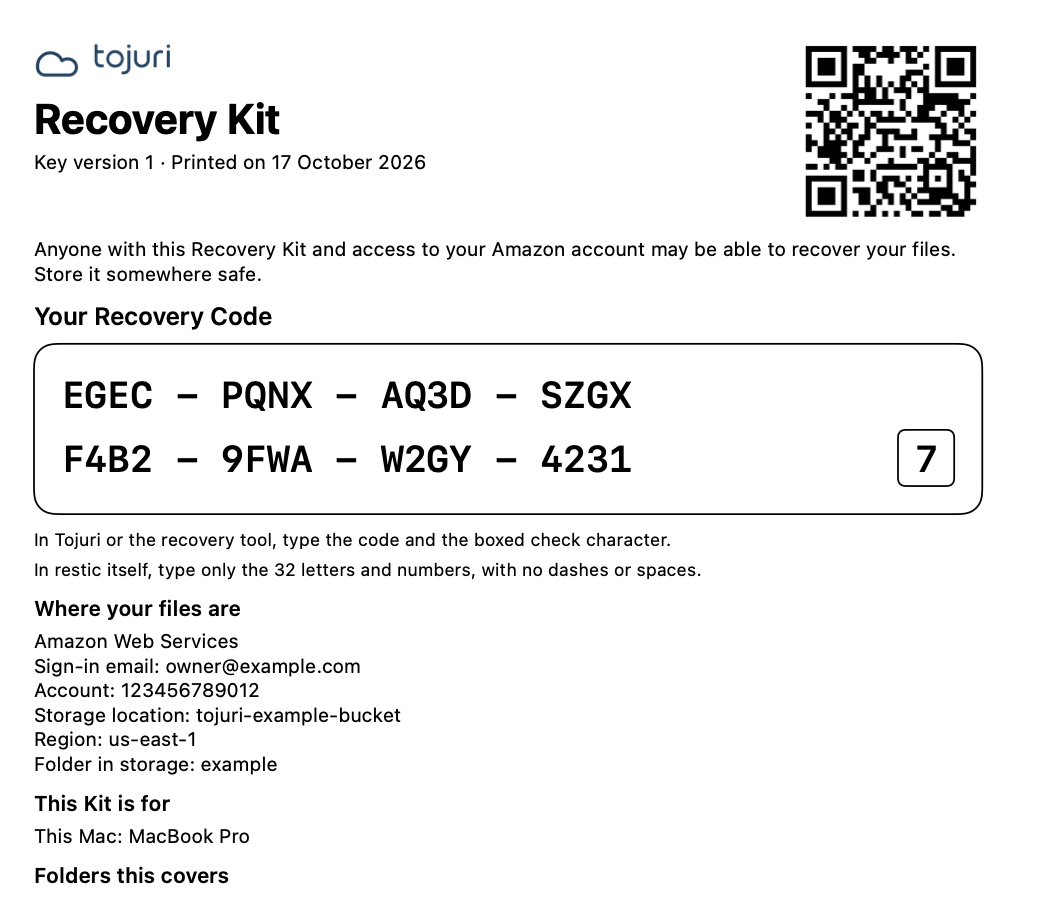
Her Recovery Kit gets it all back, even without Tojuri.

Good morning, Alba.

Everything from yesterday is still there.

Request an invite

Meet Tojuri for Mac.

Calm, plain, and quiet until you need it.
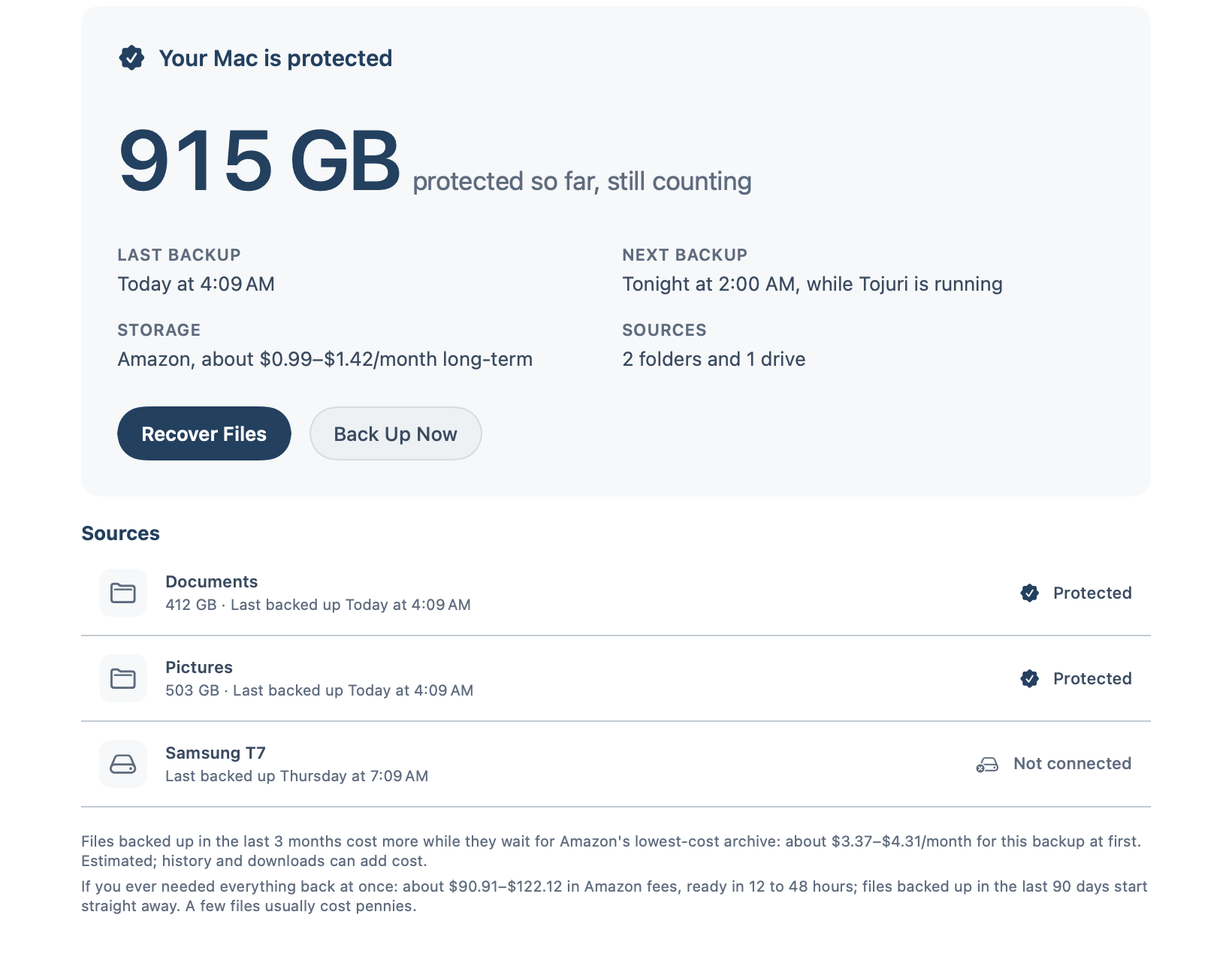
Tojuri Home: your Mac is protected, 915 GB so far, next backup tonight at 2:00 AM.
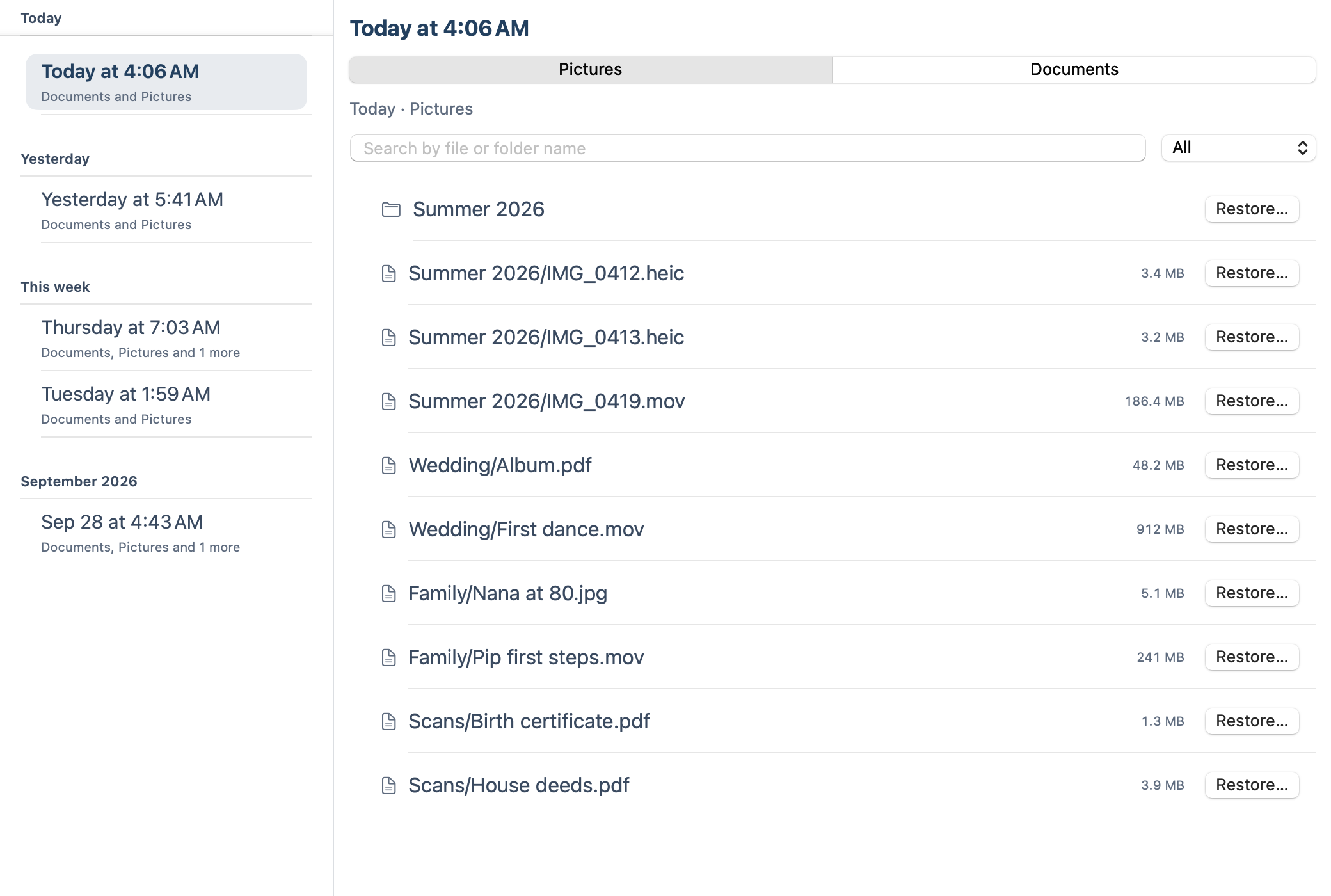
Recover: pick a backup from the list, then restore any file or folder from it.
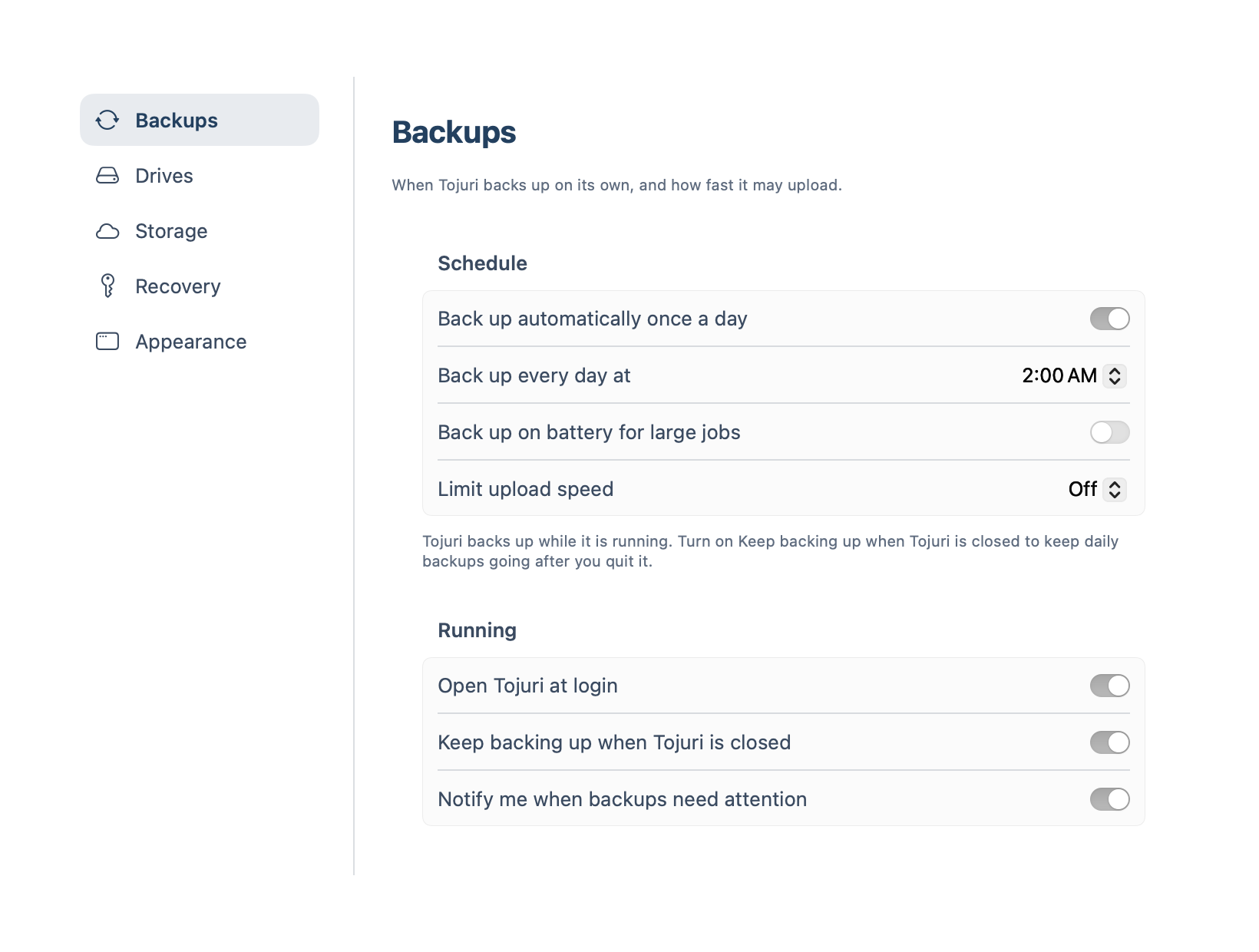
Settings: back up automatically once a day, every day at 2:00 AM.
Real app. Sample data.
One glance says it all.Protected, how much, and when the next backup runs.
Any night, any file.Pick a backup, find the file, bring it back.
Every day at two.Or any hour you choose. Then it runs on its own.

Set it once. Then forget it.

Three steps, one time.

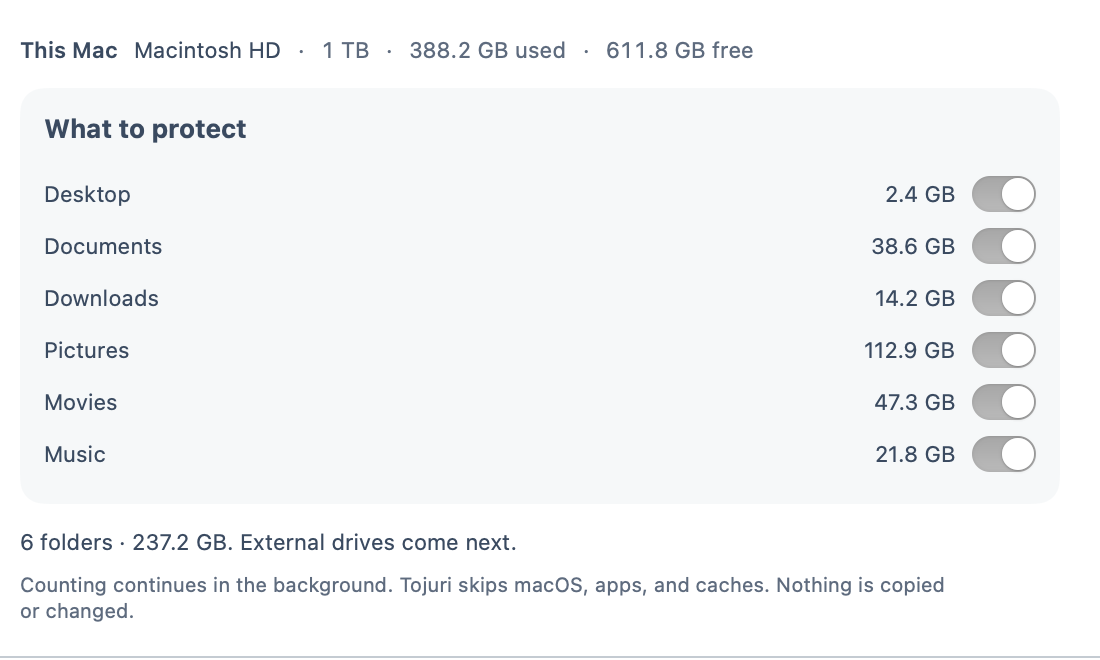
  1. Choose what to protect: Desktop, Documents, Downloads, Pictures, Movies, Music.
    Choose what matters.Your folders, and the drives you pick.
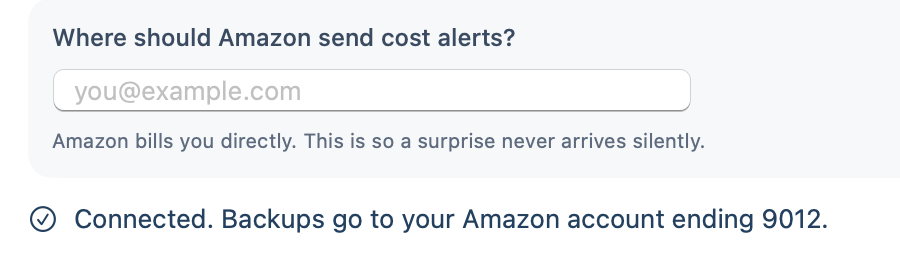
  2. Connected. Backups go to your Amazon account.
    Connect your Amazon account.Guided. No keys to copy.
  3. A sample Recovery Kit with a Recovery Code.
    Make your Recovery Kit.Print it. Put it somewhere safe.

Then a week goes by.

You do nothing. It does it every night.

Every day at the hour you choose, while Tojuri is running. Turn on Keep backing up when Tojuri is closed, and it carries on after you quit.

Yours, not ours.

Your files live in your own Amazon account, locked on your Mac first. Only you hold the key.

Your own account.Amazon bills you directly.
Locked before it leaves.Encrypted on your Mac.
No copy. No key.Tojuri cannot look inside.

Checked, not hoped.

Every night ends with a file read back. It has to match exactly.
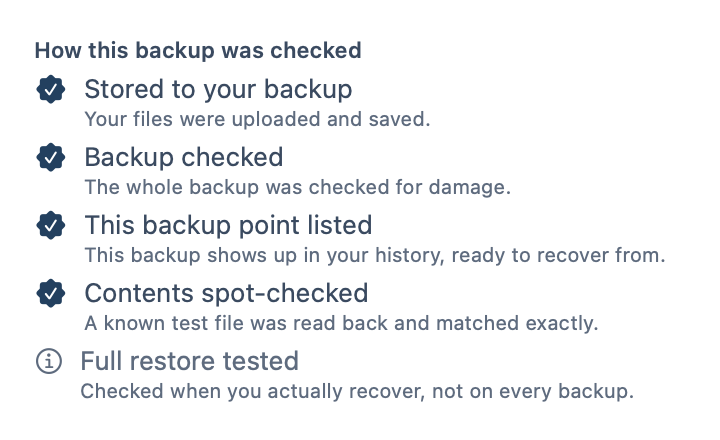
How this backup was checked: stored, checked for damage, listed, and a known test file read back and matched exactly. A full restore is tested when you actually recover.

Made for the Mac.

Built for how a Mac really lives.

Drives that come and go.Unplug one and its backup stays. Plug it back in and Tojuri picks up the changes.
Clutter, left out.Caches and folders that apps rebuild on their own are skipped, so the backup stays lean and fast.
Time Machine stays.Keep it as your fast copy at home. Tojuri is the one away from home.

If Tojuri disappears, your files don't.

Your Recovery Kit, your Amazon sign-in and the free recovery tool get everything back. No Tojuri account needed.

Tojuri cannot see your Recovery Code and cannot replace it. A small test has passed; a full-scale rehearsal is still to come.

Questions, answered plainly.

Can I use Tojuri on my Mac today?

Tojuri is opening to invited people first. Ask for an invite, and we email you the download when a place opens.

Does this replace Time Machine or iCloud?

Keep them. Tojuri adds a separate backup in your own cloud storage.

Do I have to remember to run it?

No. It backs up every day at the hour you choose while Tojuri is running, and after you quit it too if you turn that on.

Let the cloud keep watch.

Every night, quietly, while you sleep.

Request an invite